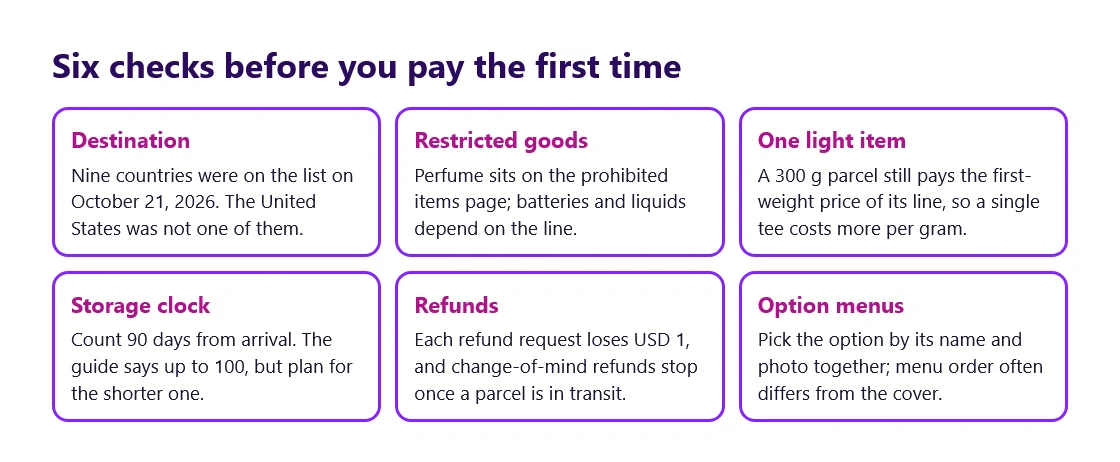
An EastGoBuy order, followed from blank account to parcel
Seven steps that take a brand-new account all the way to a delivered box, each matched to the screen you will actually see, with the official graphics, two official videos and the rules that apply at that point.
Checked and updated October 22, 2026
Watch it once before you start
Two official videos cover the first half of an order. Neither is in English, but both are screen-led, so the clicks are easy to follow. We load them only when you press play; nothing from the video hosts runs on this page until then. First, though, there is a short English walkthrough we drew ourselves; it is ours, not EastGoBuy’s.
What you need, and what you do not
You need an email address or phone number, a delivery address in one of the nine destination countries, and a way to pay that EastGoBuy accepts. EastGoBuy’s own ordering guide is clear about what you can skip: no Chinese bank card, no Chinese delivery address, no Chinese payment account, and no messages to Chinese sellers about domestic delivery. The agent handles that middle part.
The guide below follows EastGoBuy’s complete ordering guide (help article 7632, updated September 28, 2026) and the shorter Getting Started guide (article 7623), checked against the live site on October 22, 2026. Where the two official texts differ, we say so.
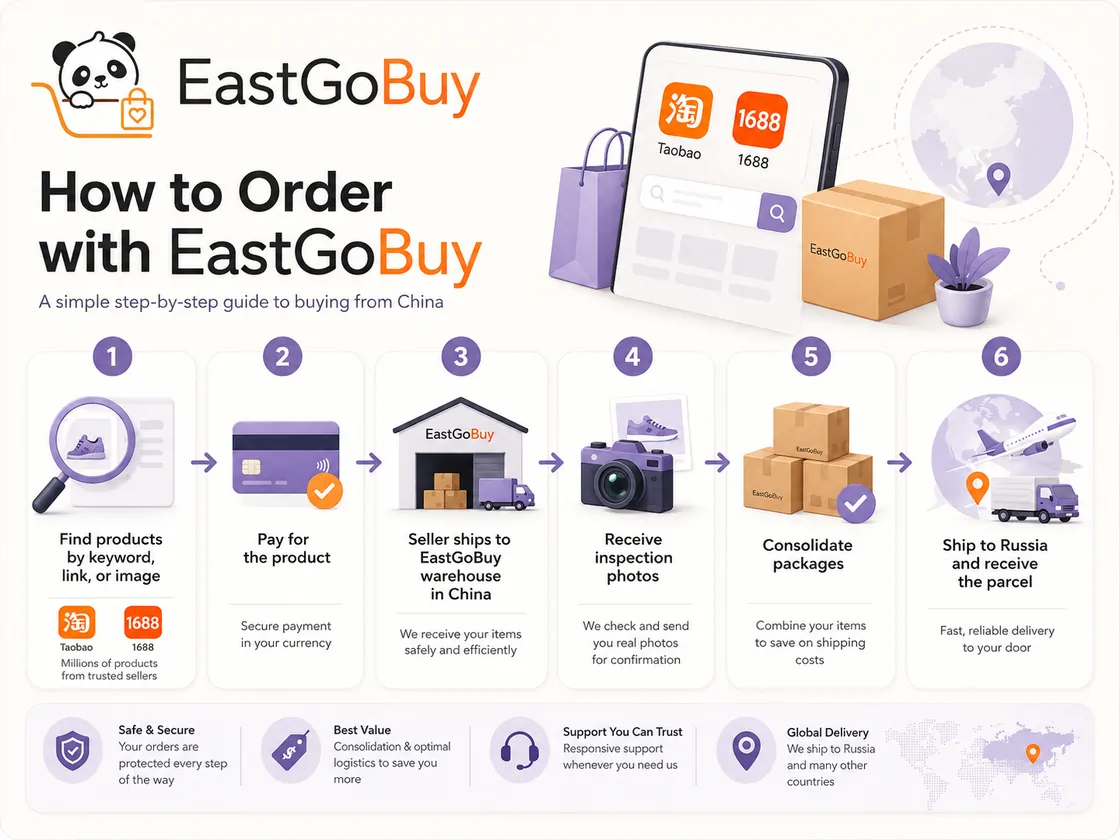
Step 1. Sign-up form, captcha and the invitation box
Registration takes an email address, a password and an image captcha, and the form has a box for an invitation code from someone who already uses EastGoBuy. A link under the form switches to phone number registration. Icons at the bottom offer Google, Discord, Telegram and VK sign-in instead. You tick that you accept the privacy guide and the profile deletion guide, and that is it.
New accounts were being offered coupons worth up to ¥1000 in an announcement dated September 29, 2026 (written in Russian), plus a small panda gift with an order. Coupons come with their own minimum spends and expiry dates under section 11 of the terms, so read the conditions inside your account before counting on them.
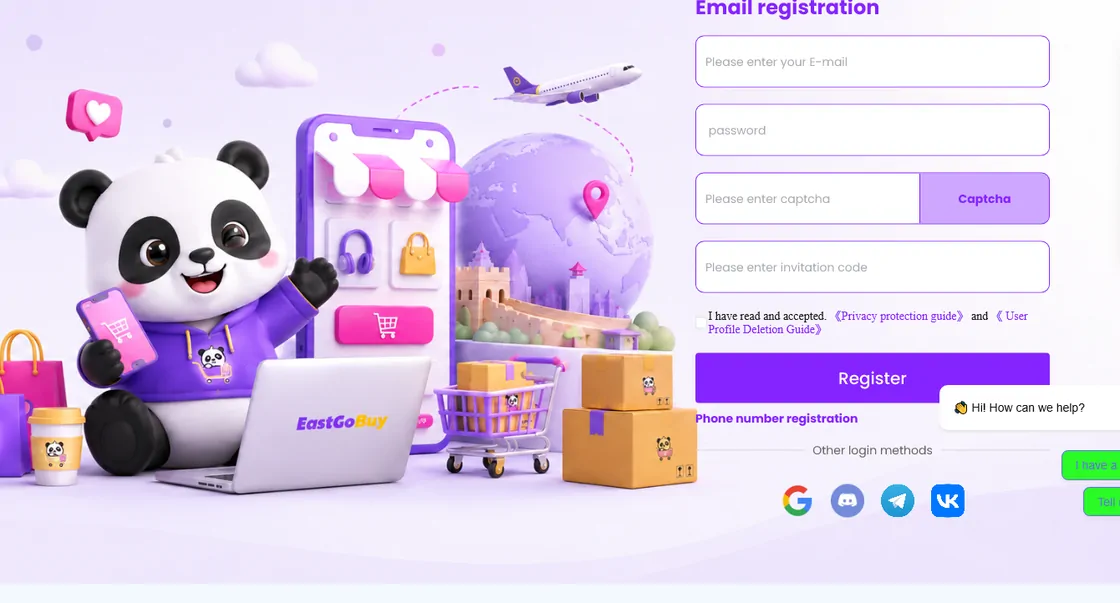
Step 2. Find the item: words, a photo, or a link
There are three ways in, and they all end on the same product page inside EastGoBuy:
- Keywords. Type what you want. The search runs across Chinese marketplaces, so plain descriptive words work better than brand names.
- A photo. The camera icon in the search bar takes an image and looks for similar products.
- A link. Paste the address of a listing from Taobao, 1688 or another supported marketplace. The search bar shows Taobao, 1688 and Weidian icons, and the help text adds Pinduoduo and JD.com. Links found on this site’s shelves can be pasted the same way.
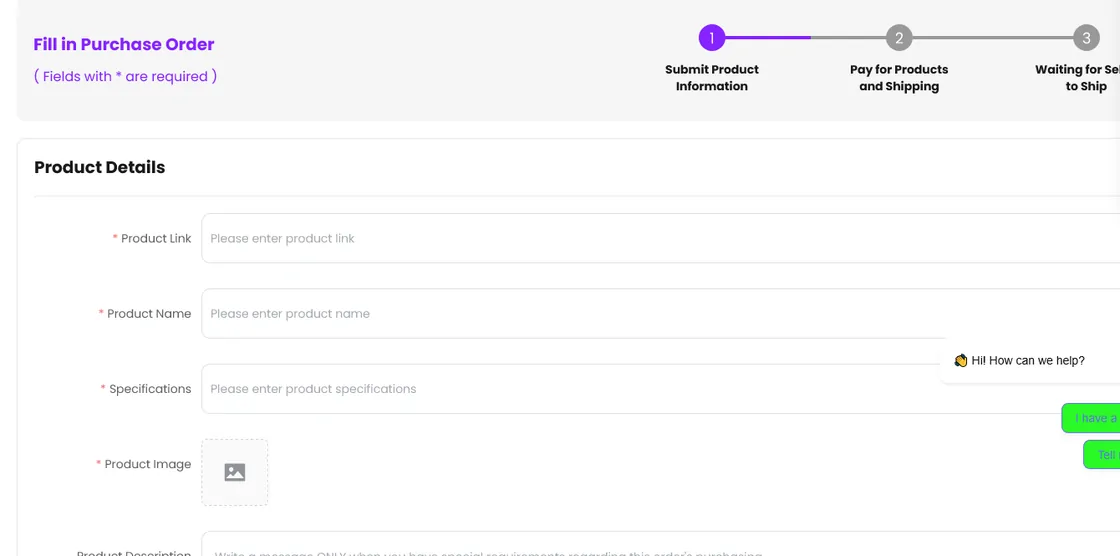
If a link will not open, use the DIY order form under Forwarding and DIY Orders in the top menu. It asks for the product link, the product name, the specifications you want (size, colour, model) and a product image, and it shows three stages at the top: submit product information, pay for products and shipping, and wait for the seller to ship.
Step 3. Options, cart, and payment one
On the product page, confirm colour, size, model and quantity, add the item to the cart and submit the order. Before the purchase goes ahead, EastGoBuy says it reviews the order against the destination’s customs rules and the lines currently running: category, material, batteries, liquids and brand restrictions can all stop an item. If staff see an obvious problem they aim to tell you and cancel or adjust the order before buying it, which is far better than discovering it with the item already in the warehouse.
Then comes payment one: the item price plus delivery inside China, if the seller charges any. International shipping is not paid at this point. The footer of the site shows UnionPay, Visa and Mastercard alongside Russian methods such as SBP, SberPay, T-Bank and Russian bank cards.
Tip from the video: the product page has a warehouse field. It should show the EastGoBuy warehouse in China (in the video, the Chengdu one). Leave it as it is.
Step 4. The item lands in Chengdu and gets photographed
The seller ships to EastGoBuy’s warehouse. Staff register the item, run a basic check and photograph it; the status changes in your account. The check covers what an eye can see: appearance, colour, quantity, size and packaging. EastGoBuy’s own disclaimer is plain that this is not professional quality testing and will not find hidden defects or test electronics.
This is the moment to say yes or no. Our QC photo page has a checklist for reading the pictures. If something is wrong, raise it now; once a parcel has left with a carrier, change-of-mind refunds are generally refused.
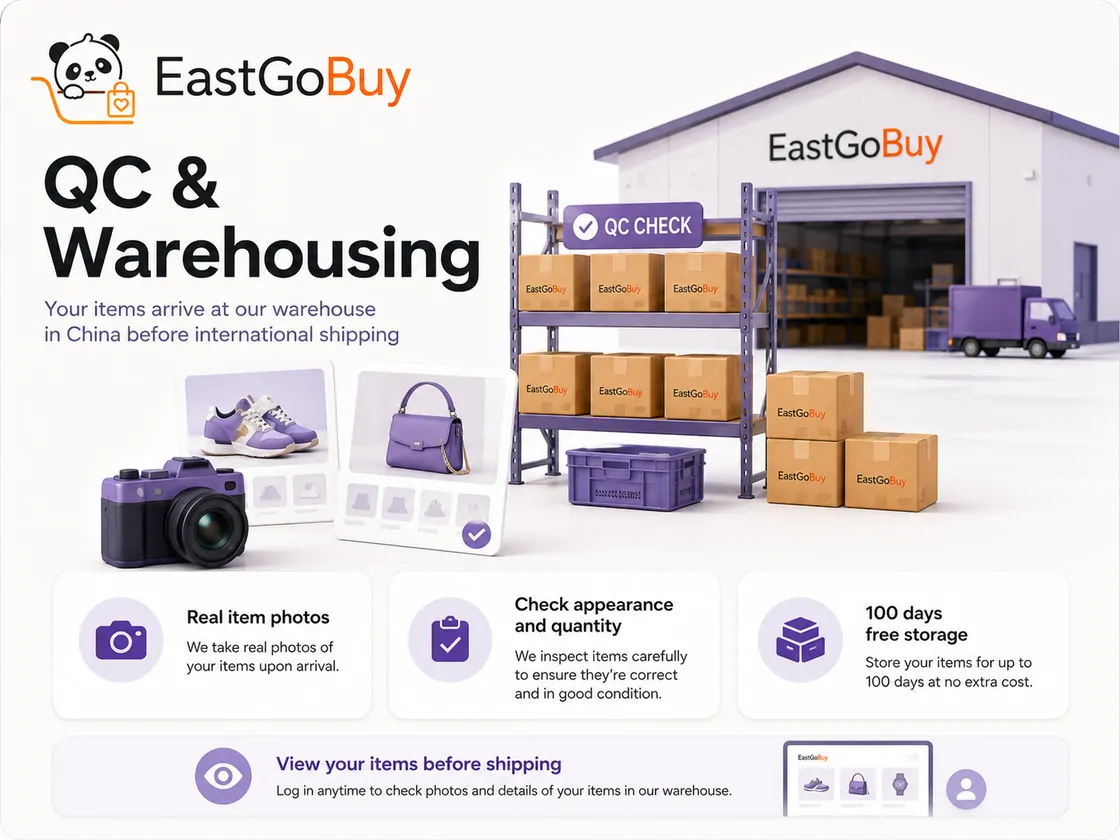
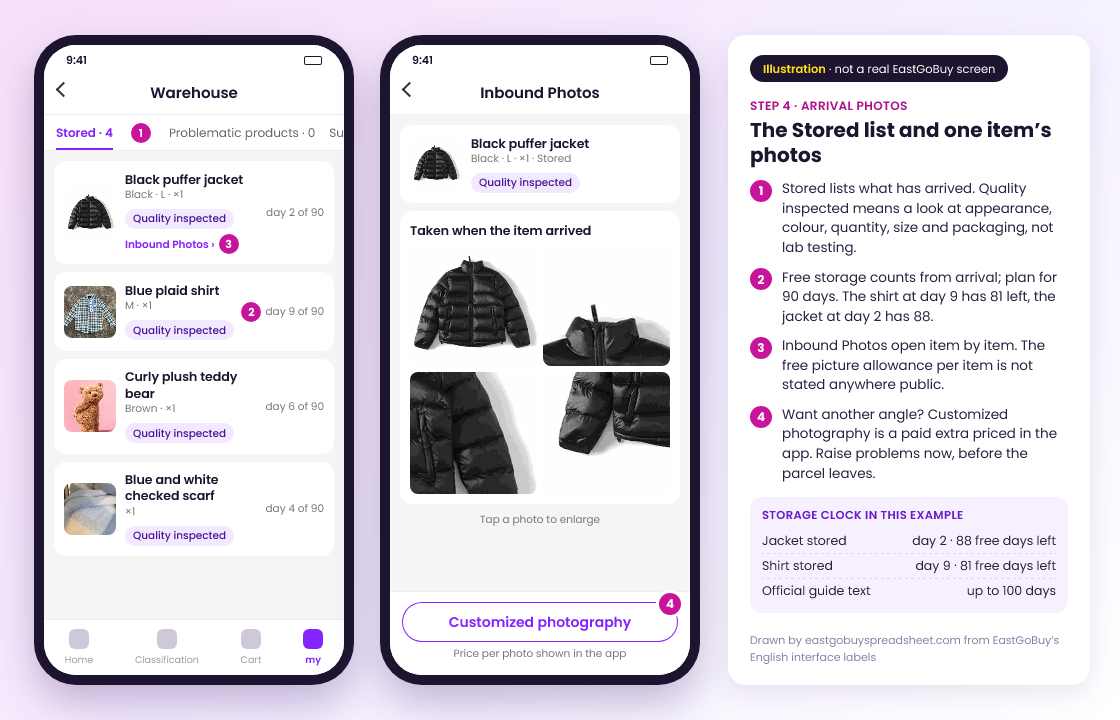
Storage starts on arrival. The ordering guide promises up to 100 free days for standard parcels; the home page and two interface messages say 90. Count from the arrival date and use the storage clock if you are waiting for other orders.
Step 5. Merge what has arrived into a single box
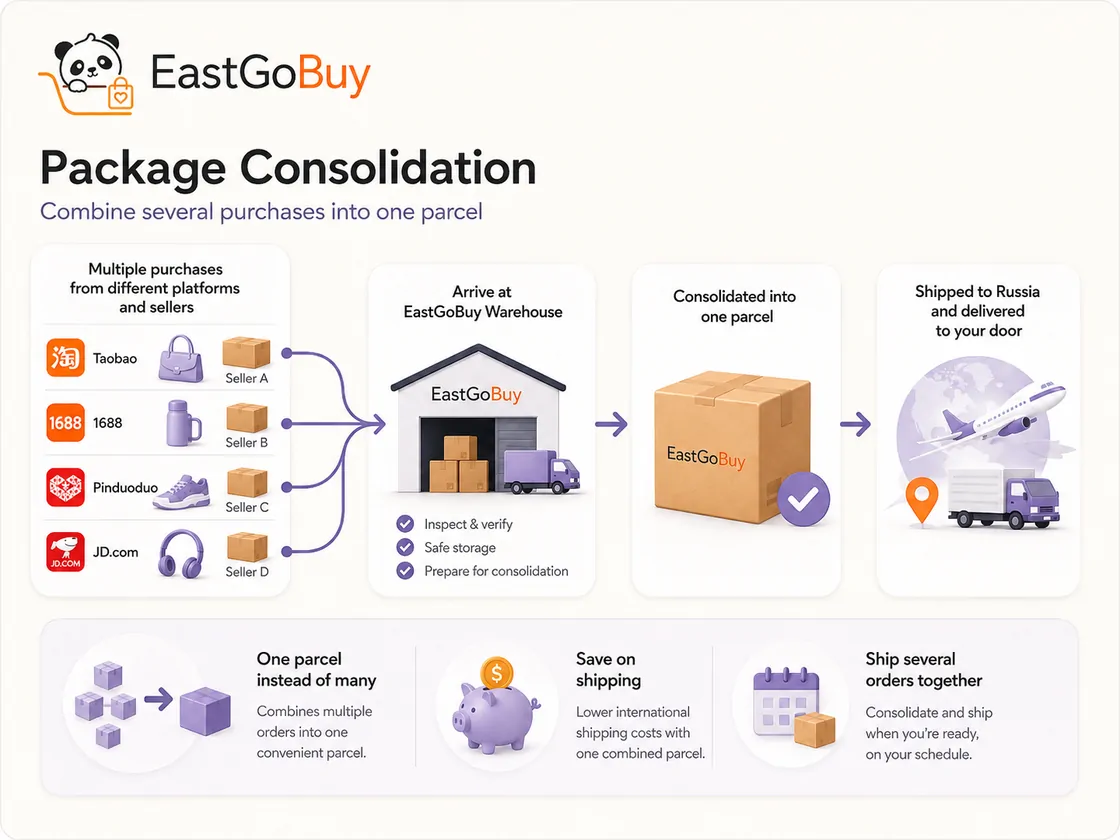
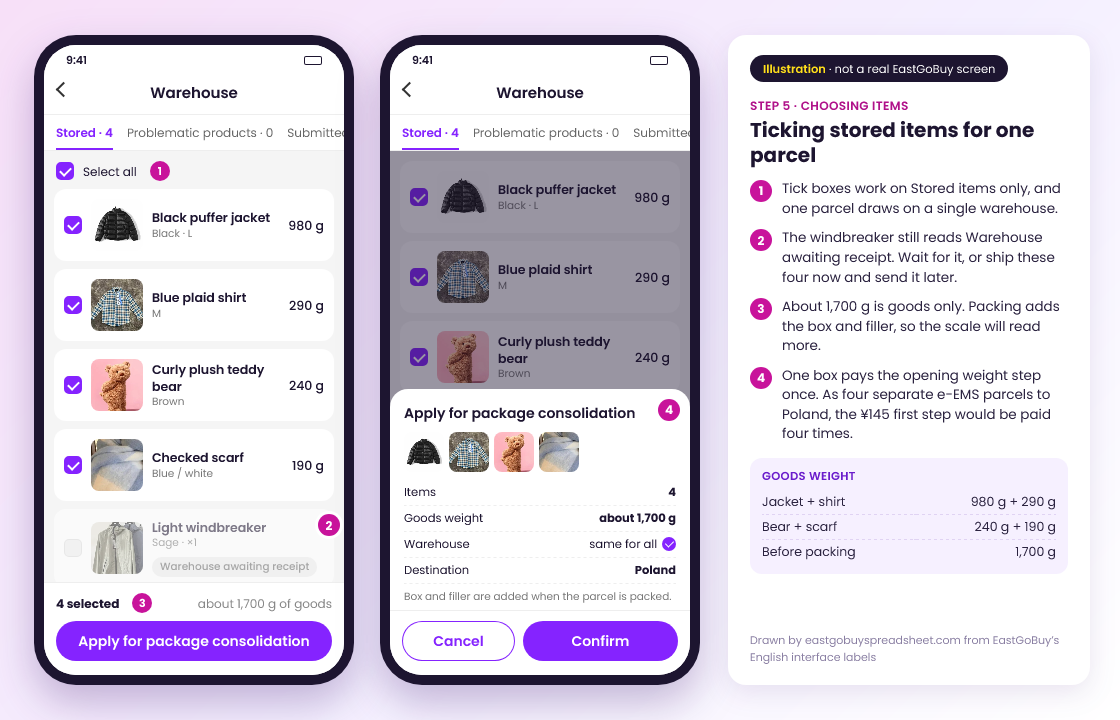
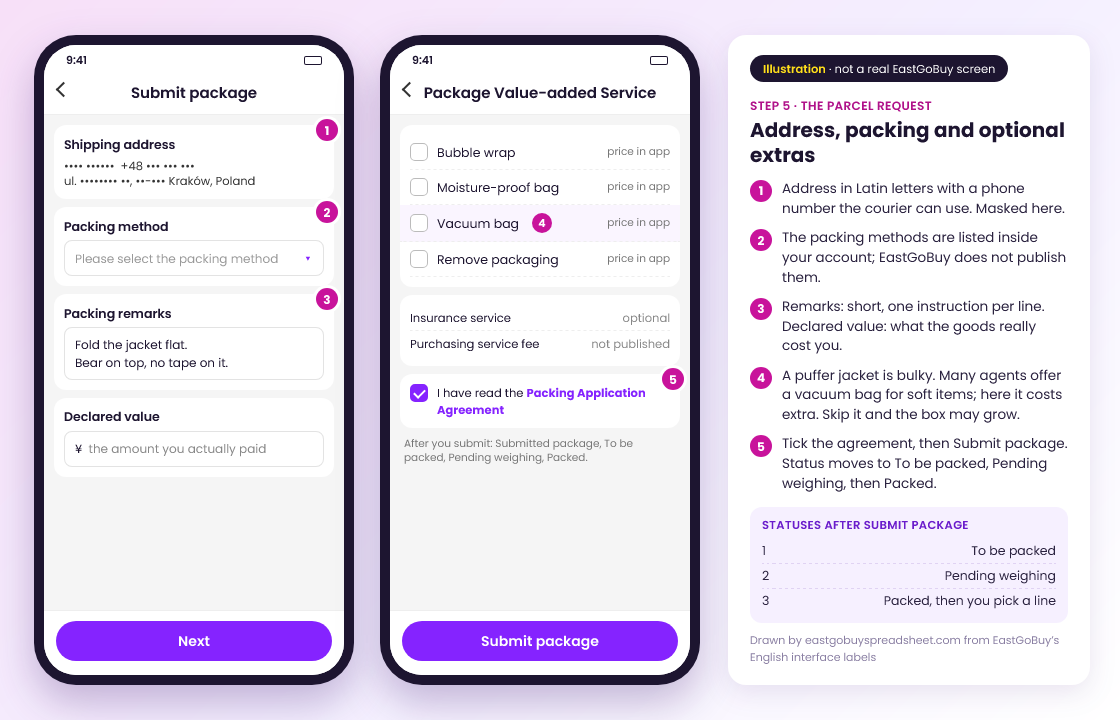
If you bought from more than one seller, or more than one marketplace, nothing ships until you ask. Select the items that are in the warehouse and request consolidation: the warehouse combines them into a single international parcel. Inspection, photos, consolidation and repackaging are all listed as options you choose as needed; prices for the paid ones show inside the app.
Consolidation is where the money is saved. Every line charges a first-weight price, so three items in one box pay it once, not three times. EastGoBuy’s guide says the same in its own words: a very light single item carries a large share of fixed shipping cost.
Step 6. Weighed, measured, then payment two
Once the parcel is packed, the warehouse weighs and measures it. EastGoBuy then lists the lines that accept that weight, that size, that kind of product and your destination city. You choose one and pay the second payment: the line price plus any extras you selected.
Two things decide the price. The weight steps of the line, and, on EMS and e-EMS, the size of the box: once any side passes 40 cm, the line works out a volumetric weight and bills whichever is higher. The economy lines refuse boxes over set dimensions instead. Lines and limits has every rule we read, and the parcel price tool runs the numbers.
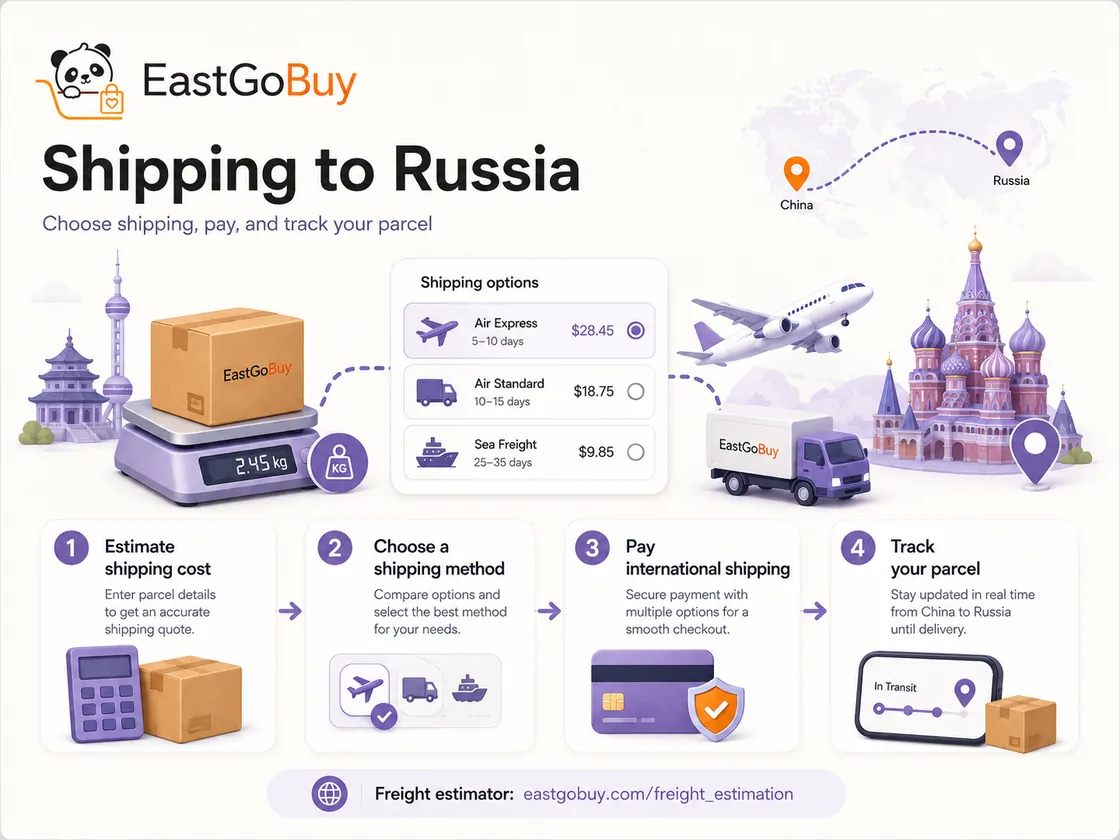
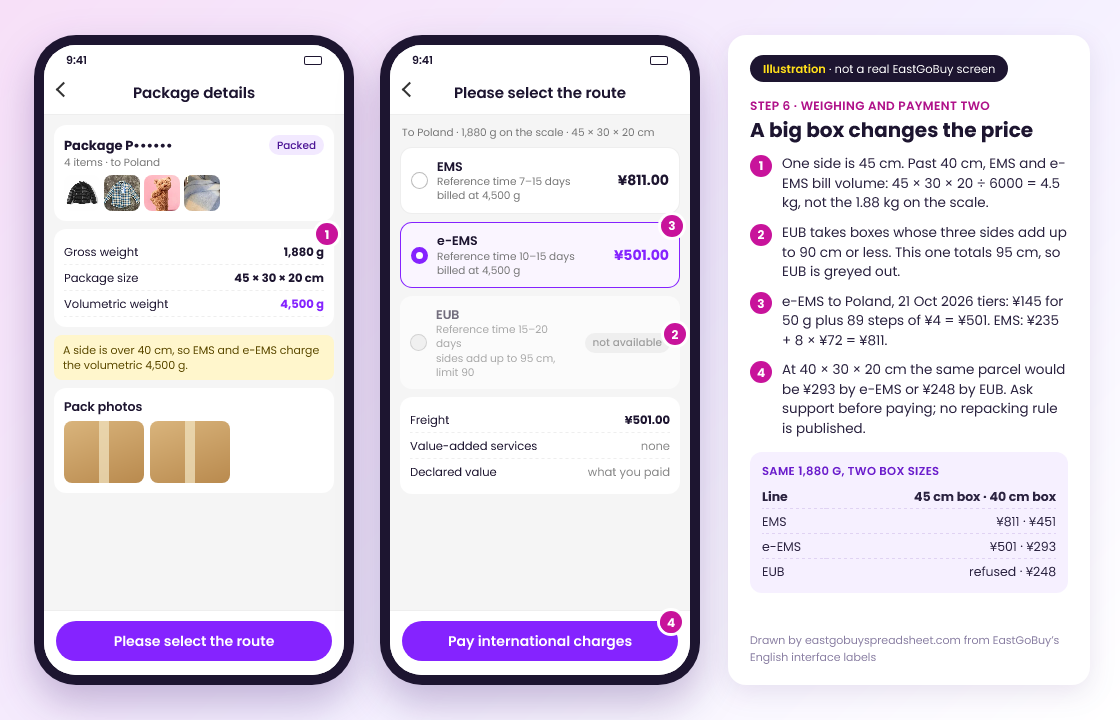
EastGoBuy’s shipping calculator only gives an estimate, and its guide says so. On October 22, 2026, opening it without an account redirected us to the login page; ours works without one.
Step 7. Tracking number, doorstep, and the refund rules
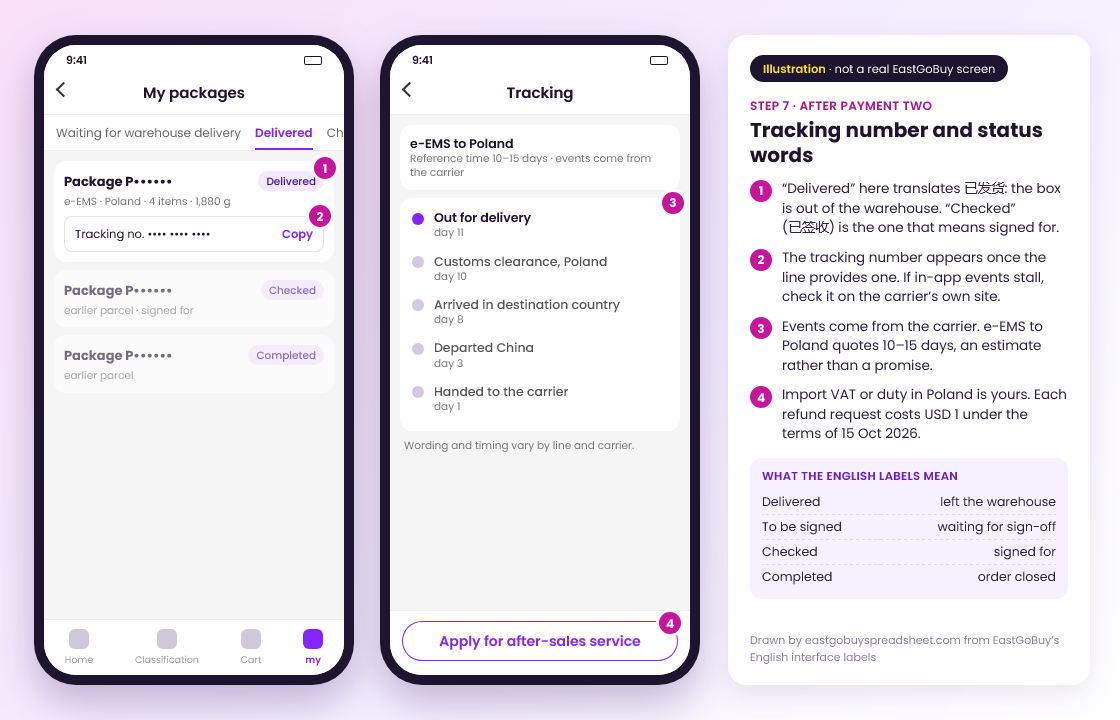
After the second payment the warehouse ships with the line you chose. If that line has tracking, an international tracking number appears in your account and you can follow the parcel until delivery. Delivery times shown by lines are estimates, not promises; the terms list weather, flights, customs checks and holidays among the reasons for delay.
Import duties and VAT in your country are yours to pay, and goods that break your country’s rules are your responsibility if they are held or destroyed. Refunds follow the terms of service updated October 15, 2026: every refund request costs USD 1, bank and conversion charges can also come off, and fees already incurred (purchasing, storage, services, shipping) may not come back.
Six places a first order gets stuck
- The destination is not on the list. Check before you register: nine countries on October 21, 2026, and no United States.
- An item is held for review. Batteries, liquids, perfume and anything with a brand restriction may be cancelled before purchase. Better then than later.
- The seller is out of stock. The terms say EastGoBuy will help case by case. Have a second listing ready.
- A single light item. It ships, but the first-weight price makes it expensive per gram. Wait for a second item if you can.
- Storage creeps up. Day 90 comes faster than it sounds when one seller ships late.
- The line you wanted disappears. Size or contents can rule a line out after weighing. That is why the price tool shows every line, not just the cheapest.